


Claiming CPE credit
CPE credit is available for all online self-study courses. As a Certified Fraud Examiner (CFE), you are responsible for keeping track of your CPE records for reporting purposes.

1. Log in to ACFE.com.
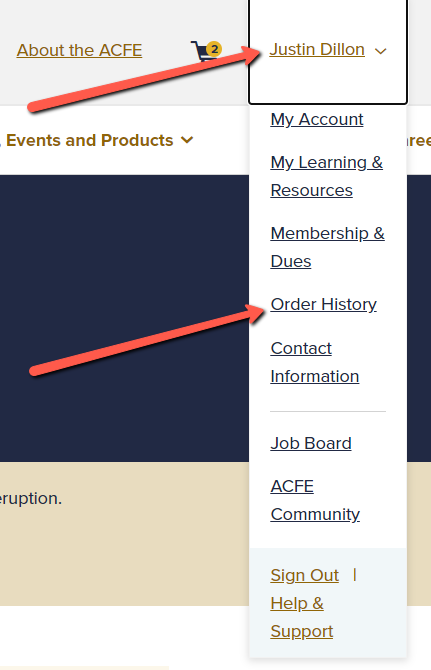
2. Click on your name and select "Order History" from the dropdown menu.
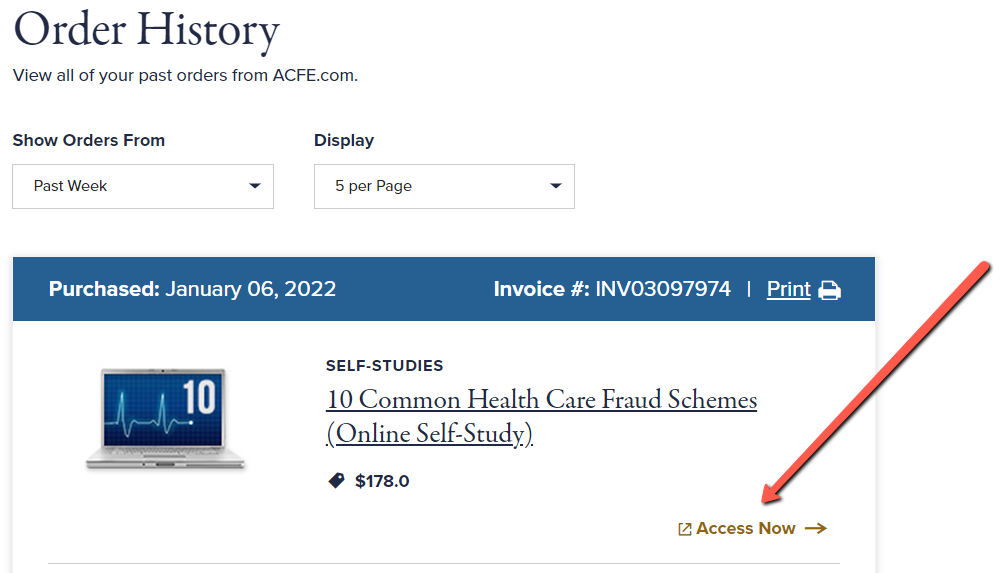
3. Click on the “Access Now” link next to your course.
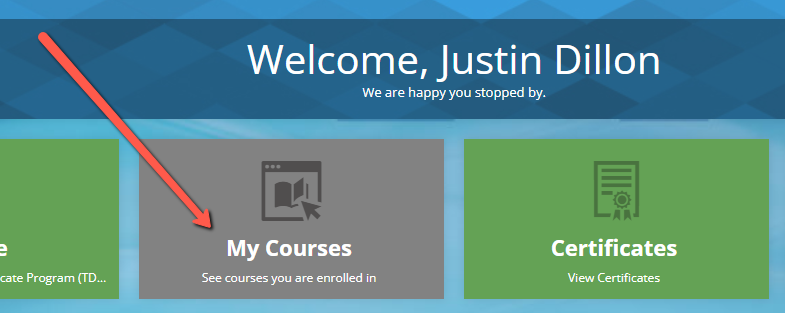
4. Click the “My Courses” button.
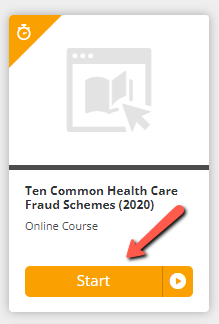
5. Click the "Start" button next to your course and have fun learning.
CPE credit is available for all online self-study courses. As a Certified Fraud Examiner (CFE), you are responsible for keeping track of your CPE records for reporting purposes.